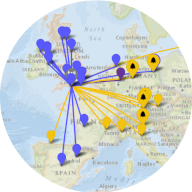
 QSO Map Tool
A log mapping tool for amateur radio adventures
By Ian Renton MØTRT
Using the tool
To begin, click the Browse button and select a log file. ADIF, Cabrillo and SOTA CSV files are
supported. The QSOs from the log will start to appear on the map.
The rest of the controls on the Data
tab can then be used to add more data, and adjust what data is displayed. In particular, note that
querying a web-based service to look up locations for your contacts is enabled by default. If you
are loading a contest log, you may want to turn that off (under "Online Lookup").
You can use the many controls under the Display
tab to customise the map, markers etc. to your liking, and view stats about your log in the
Stats tab.
Privacy
The QSO Map Tool is free to use, has no adverts, no cookies, and does not store any data outside of your own computer. Where QSOs are found with missing data, the
Spothole API can be queried to fetch the data. No personally identifying information such as your own callsign is transmitted.